
Forge Studio
Describe the process. Forge designs it.
From your brief, Forge Studio builds a standard BPMN model with its data, forms and roles. It asks when it is unsure and never publishes on its own: a person confirms every change.
From a brief to a governed process in four steps.
- A brief in plain languageTrigger, roles, decisions and limits. When the AI is unsure, it asks.
- A BPMN model in secondsLanes, tasks, gateways and deadlines. A finished model instead of an empty canvas.
- Changes by conversation“Add an AI agent to assess the risk.” “Record the order in the ERP.”
- A result you controlYou refine it, version it and publish it in the Designer.
Watch a template take shape.
A purchase-order approval with a three-day escalation, from the brief through the design to the check before publication. It plays once when you reach it; click any step to see it again.
You watch it build. Every element it touches pulses teal, and you can take over any field at any time.
Describe the process.
I’ll forge it.
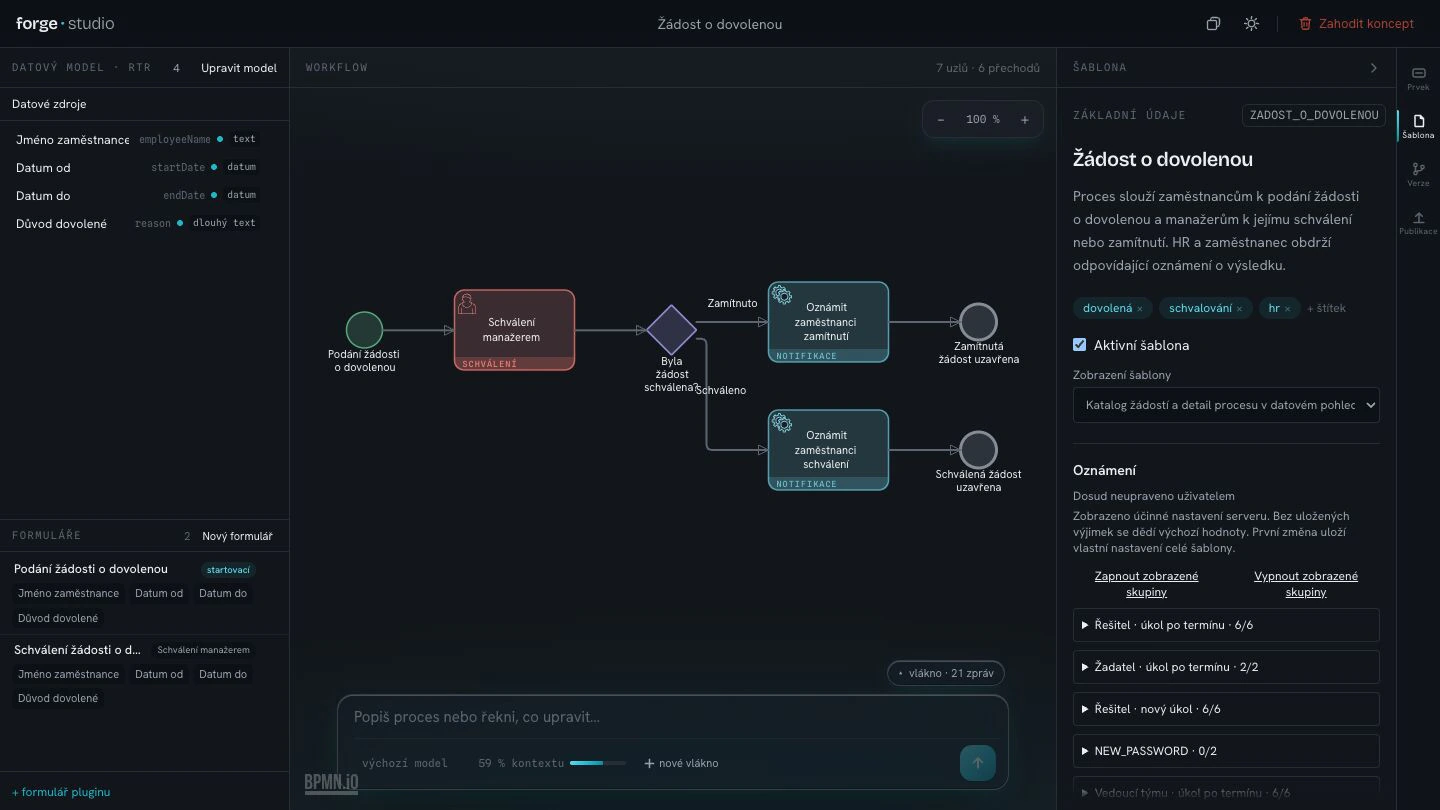
1A brief in plain language
It asks instead of inventing.
Studio plans before it touches the canvas and checks what your workspace actually contains. Asked to escalate to HR, it found no such role and stopped to ask instead of making one up.
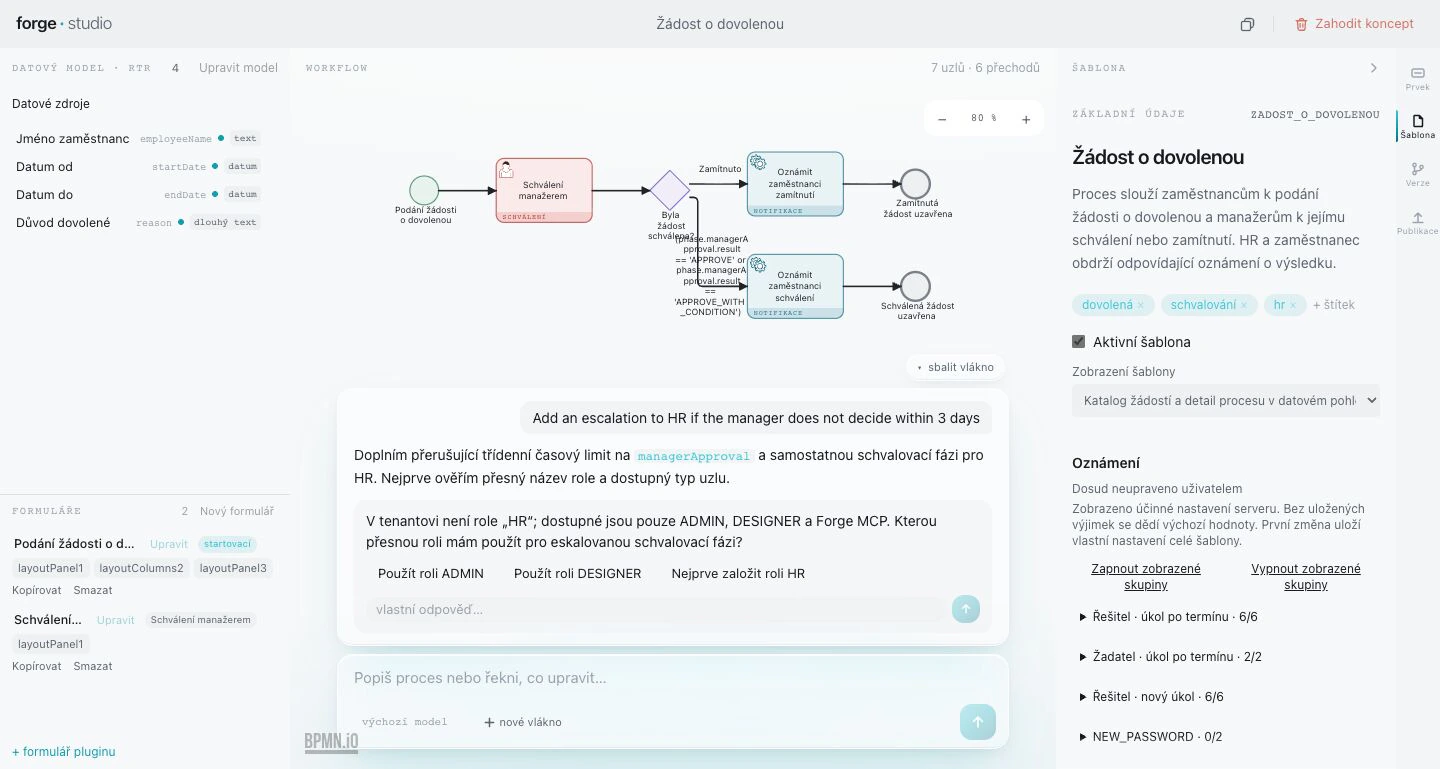
A question, not a guessThere is no HR role here, so Studio asks which role to use.
Answer in one clickPick one of the suggested answers, or type your own.
2A BPMN model in seconds
What one conversation builds.
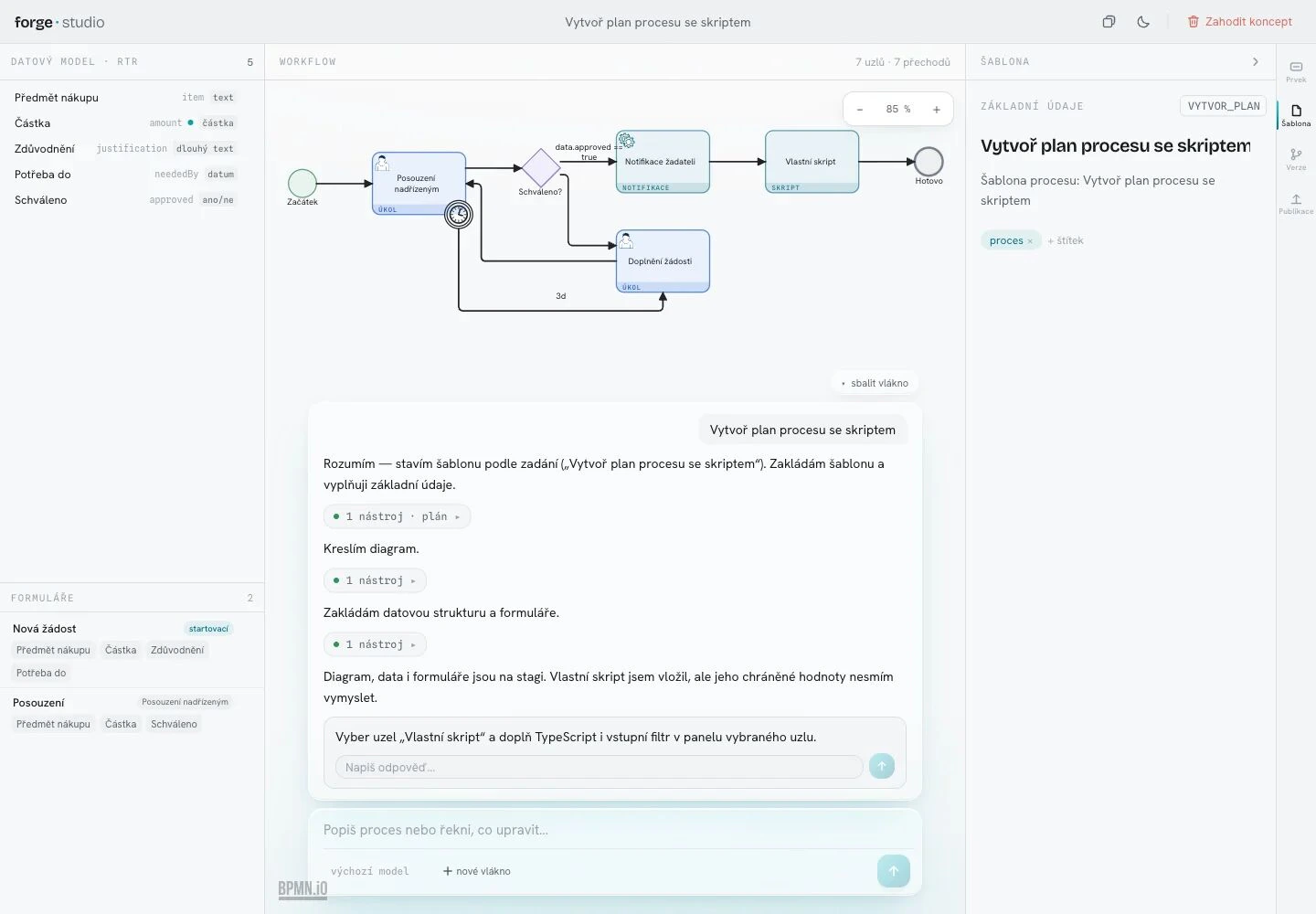
The result is standard BPMN, not a black box, and it carries everything a process template needs to run: on one surface, from one conversation.
- Data model
- The fields the process works with, each with a key and a type.
- Forms
- A start form and a form for every phase, each bound to its step.
- BPMN workflow
- Phases, gateways with a default path, timers and escalations, placed on the canvas as it goes.
- Version settings
- The template and its version: name, description, roles and notifications.
- Publication
- A readiness check, then publication to Test, Acceptance or Production.
3Changes by conversation
Ask for a change in a sentence.
You change the finished model by conversation, in the AI thread right in the workflow editor. With @ you attach a process, a form or a role to the request, so the AI knows exactly what you mean: “Add an AI agent to assess the risk.” or “Record the order in the ERP.” The agent then appears in the model as one more step of the process.
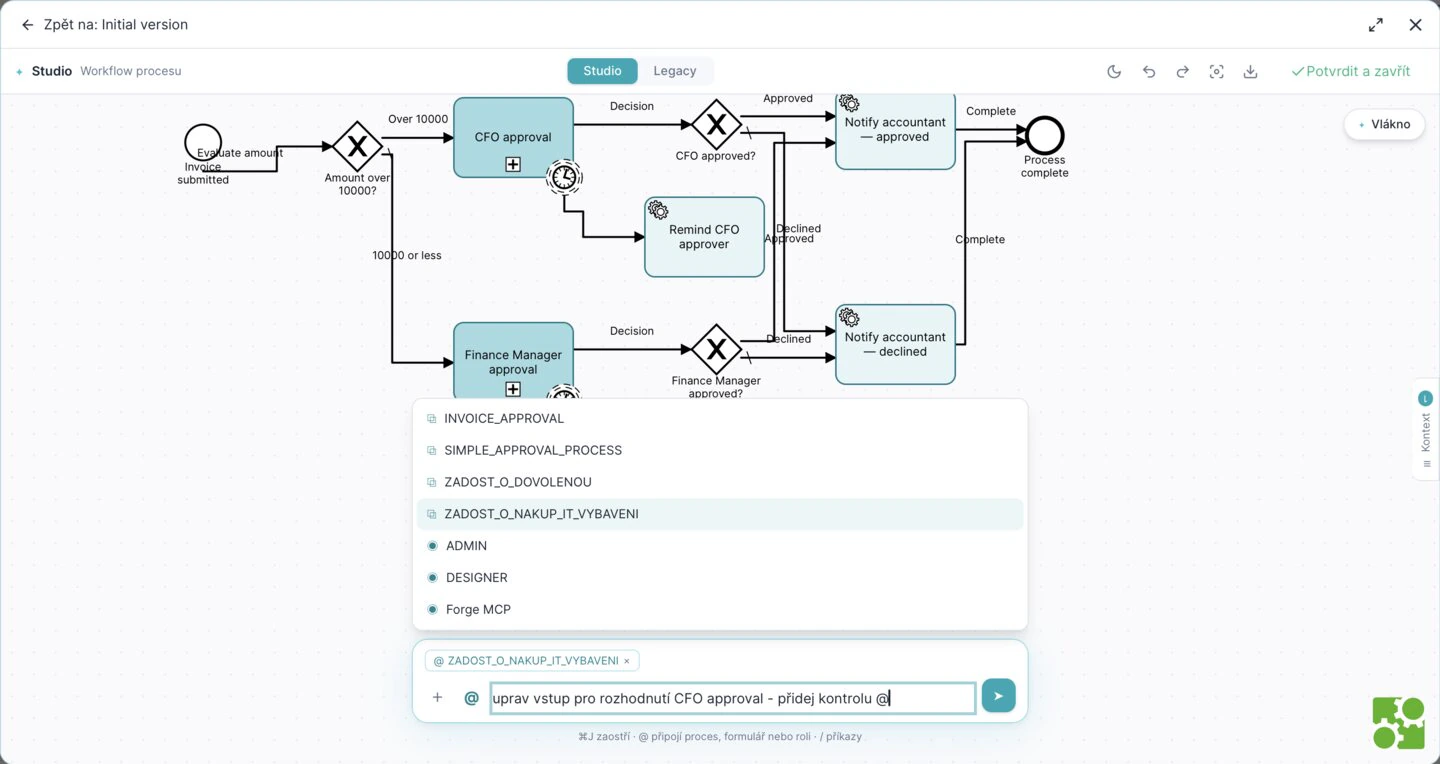
A person confirmsYou confirm every change; the AI publishes nothing on its own.
Context with @Attach a process, a form or a role to the request with one pick.
4A result you control
Nothing that could not run gets published.
Studio checks the template with the same rules as the Designer and corrects its own errors. Before publication, the readiness check has to pass:
- Template has a name
- Start form is bound
- Every phase has a form
- Gateways have a default path
- Conditions can be evaluated
- Roles can be filled
Then the version goes to Test, Acceptance or Production.
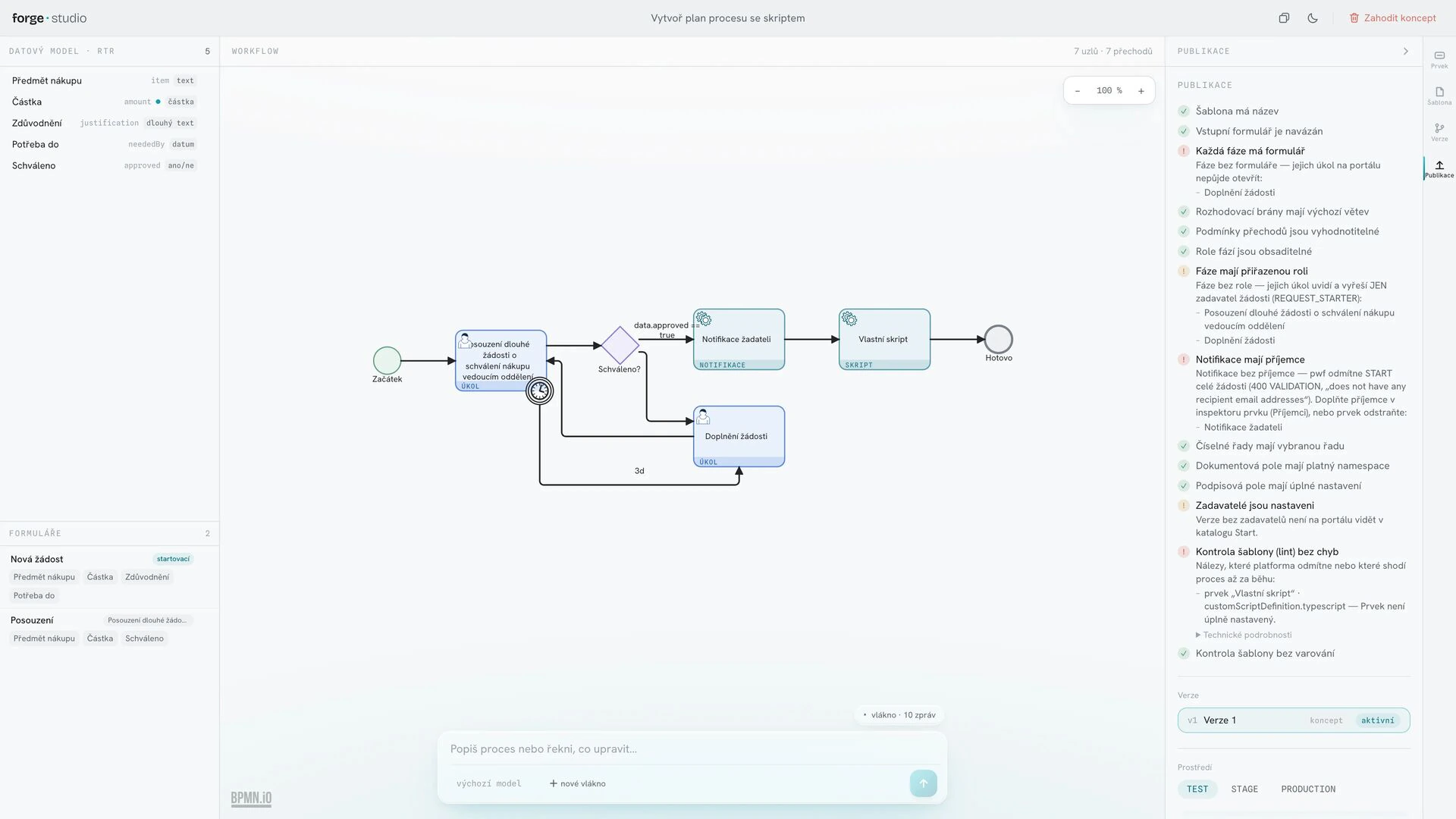
A failing check blocks publicationIt names what is missing: here, a phase without a form.
Three environmentsEach version is published to TEST, STAGE or PRODUCTION.
Hands on, any time.
Studio never takes the template out of your hands. Anything it builds, you can change yourself.
See every change
Every element the AI touches pulses teal, and the conversation says what it changed.
96 Designer fields
All 96 fields the Designer offers across 20 element types can be edited directly in Studio.
Point at an element
Point at any element on the canvas to reference it in your next message.
Rewind
Go back to an earlier message and continue the conversation from there.
Clone a version
Start the next version of a template from a copy of the current one.
Custom scripts
Write custom scripts in a TypeScript editor with live diagnostics, as in the Designer.
Where you need it.
One Studio, three ways to open it.
Standalone
As its own app at your platform's address, next to the Designer and the Portal.
Inside the Designer
Opened with the AI Studio button, it runs inside the Designer.
As a web component
The same Studio ships as the <forge-studio> web component, which is how the Designer carries it.
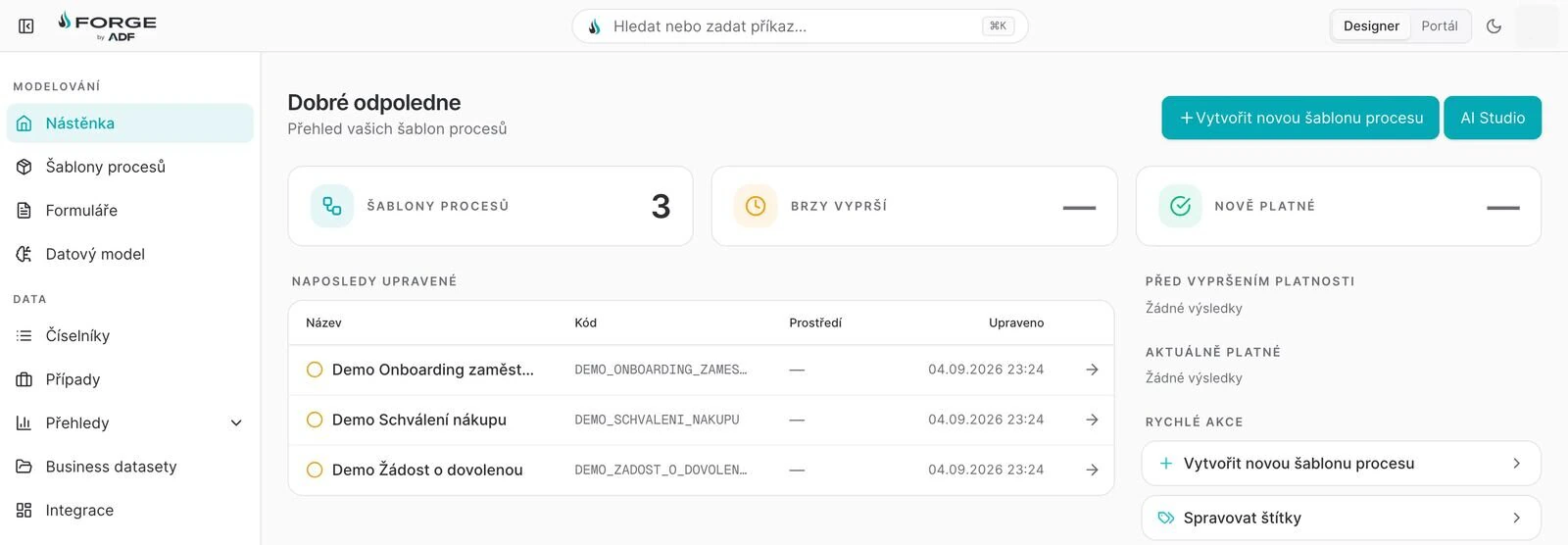
AI StudioOne click from the Designer's dashboard.
How Studio is built
- One streamed conversation
- Studio holds one conversation with Forge AI through a broker, streamed as typed frames. Your platform credentials stay with the broker and never reach the AI.
- The Designer's rules
- Every change is checked with the same element rules as the Designer's validator. The readiness check separates blockers from warnings.
- What the AI places
- It places 14 element types on its own. Five more, such as integration tasks and custom scripts, it leaves for a person to configure, and publication waits until they are.
- A model per conversation
- The model is chosen for each conversation, from the ones your Forge AI offers.
- Designer round-trip
- Templates built in the Designer open in Studio and save back with their settings. A typed parity manifest tracks all 96 fields and marks the few mappings still in progress.
- One token layer
- Colour, type and spacing come from one token layer in light and dark, so a host can reskin Studio without touching its components.
Tell us the process that's costing you.
Bring one real process to the demo. We describe it to Studio together and you watch it take shape on a working platform — not on slides.