
Forge Platform
One standard across the company. Change in days, not months.
The Designer, where you design and change processes, and the Portal, where people work them. Versioning, separate environments, the audit trail, documents and signatures come with the platform, not as another project.
One process standard for the whole organisation.
A process in Forge is not a document on the intranet but a standard that runs. Step outside it and you step outside the system.
Standard BPMN 2.0 notation
Business, IT and the auditor read the same process. No proprietary format.
A catalogue of templates and components
Forms, code lists and data models are reused across agendas, so every next agenda goes faster.
One task portal
Queues, priorities and SLAs for every team in one place, on a phone too. Instead of dozens of mailboxes, a manager sees where work is stuck.
A complete audit trail
Every step and every decision: who, when and what. Ready for the auditor and the regulator; an audit is exported, not prepared.
The Portal: triage the queue, finish the task.
Queues with counts, filters and a preview pane show what is urgent before anyone opens a thing. A task opens as a focused layer, with the time left and Complete always in reach.
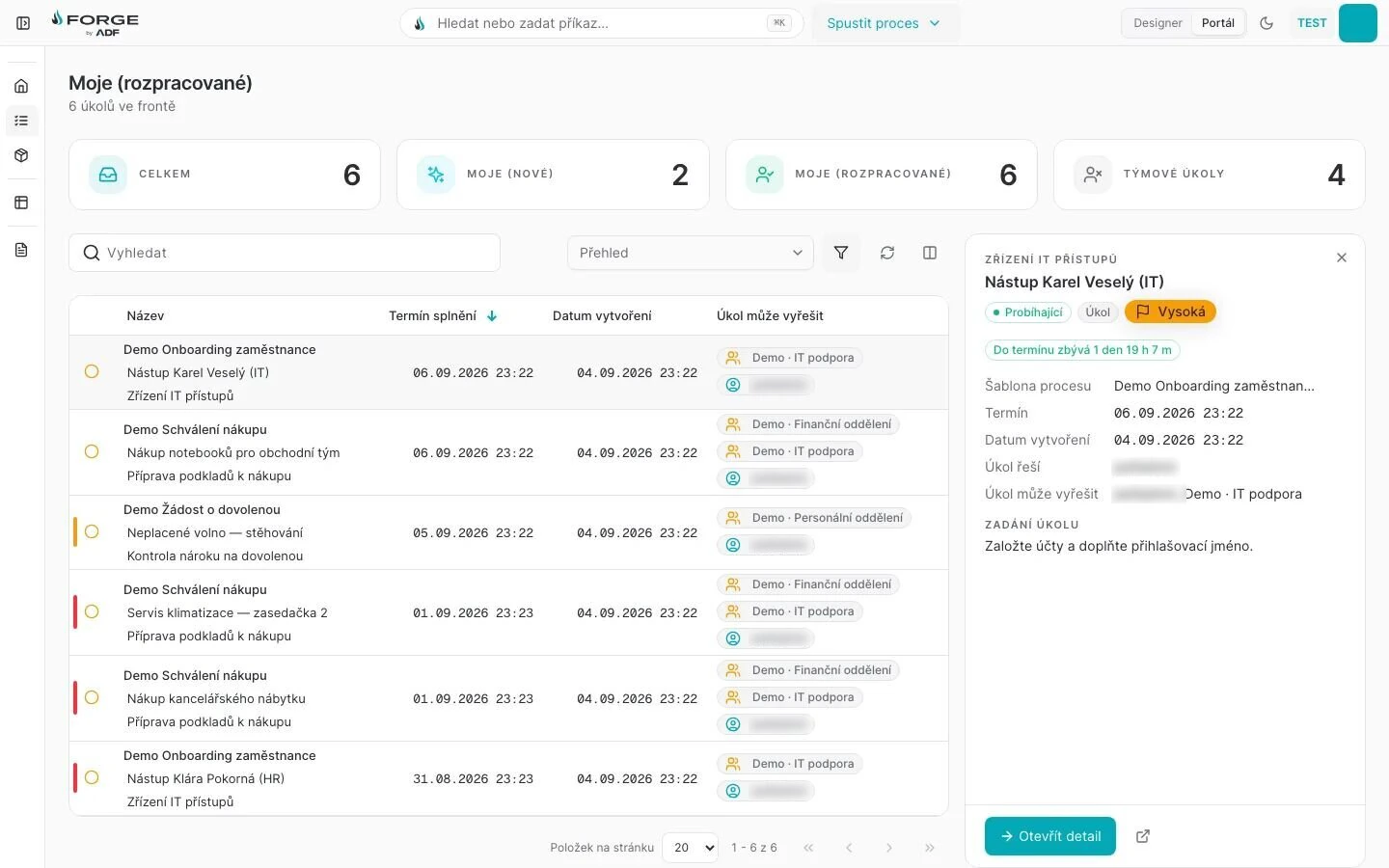
⌘K spotlight“Search or run a command…” from anywhere, in both faces.
Designer | PortalOne click between modelling and work.
Live SLA countdownEvery task shows the time left: here, 1 day 19 h.
Preview paneTriage from the queue. The task then opens as a focused layer with a sticky Complete.
Queues and filters
My new tasks, my tasks in progress, team tasks: each is a queue with its count. Filter, sort by deadline and read a task in the preview pane without leaving the list.
A task as a focused layer
The task opens over the queue with a live SLA countdown, “1 day 19 h left”, and a sticky Complete that stays in view however long the form is.
Works on a phone
Queues and tasks fit a phone screen, so a decision does not wait until someone is back at a desk.
Prints as a document
Print a task and you get a readable document, not a screenshot of a web page.
A process change in days, not months.
When an approval limit changes, the classic route is a change request, analysis, development and a release. In Forge a process analyst changes it in the Designer and tests it, the business accepts it and a new version is published. Requests already running finish under the old rules; new ones run under the new.
The classic way
- Request
- Analysis
- Development
- Test
- Release
Weeks to months, queued in the IT backlog.
With Forge
- Change in the Designer
- Test
- Acceptance
- Publication
Days. The process team drives the change; IT holds the guard-rails.
- 3.5×
- faster application development with no-code, at an energy group
Process versioning
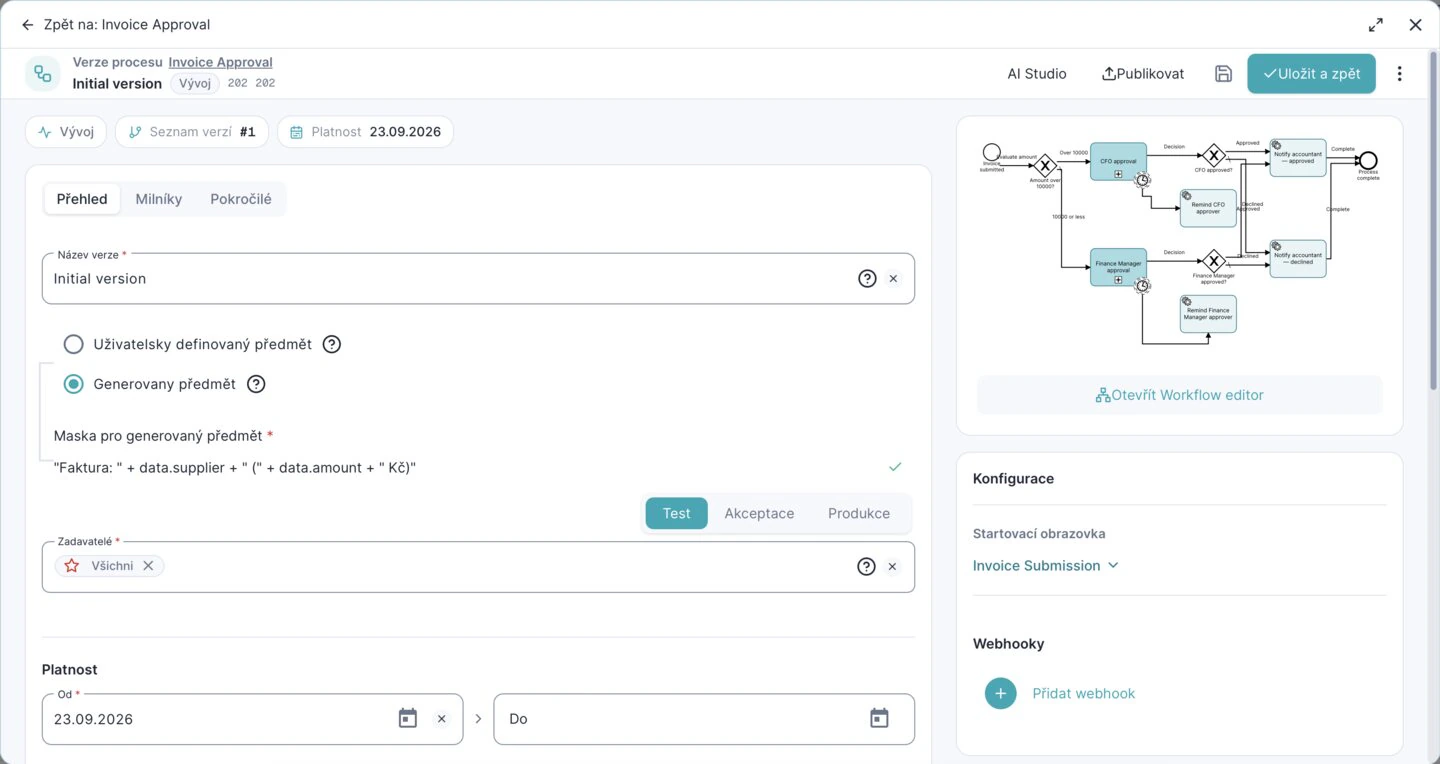
Cases already running finish on their original version; new ones start on the current one. Once a request has run on a version, that version is locked.
Scheduled validity
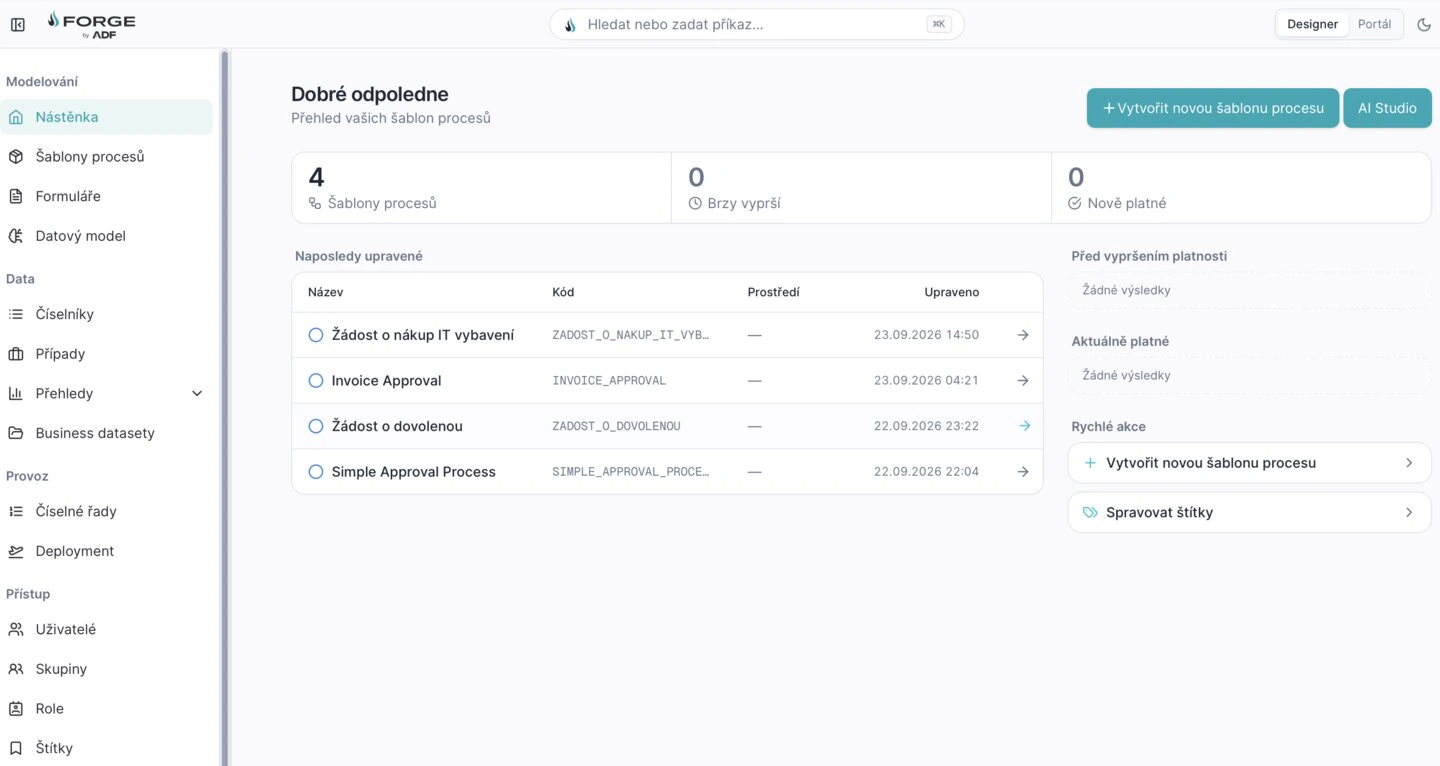
Plan a change for a given day. The Designer dashboard shows what expires soon and what is newly valid.
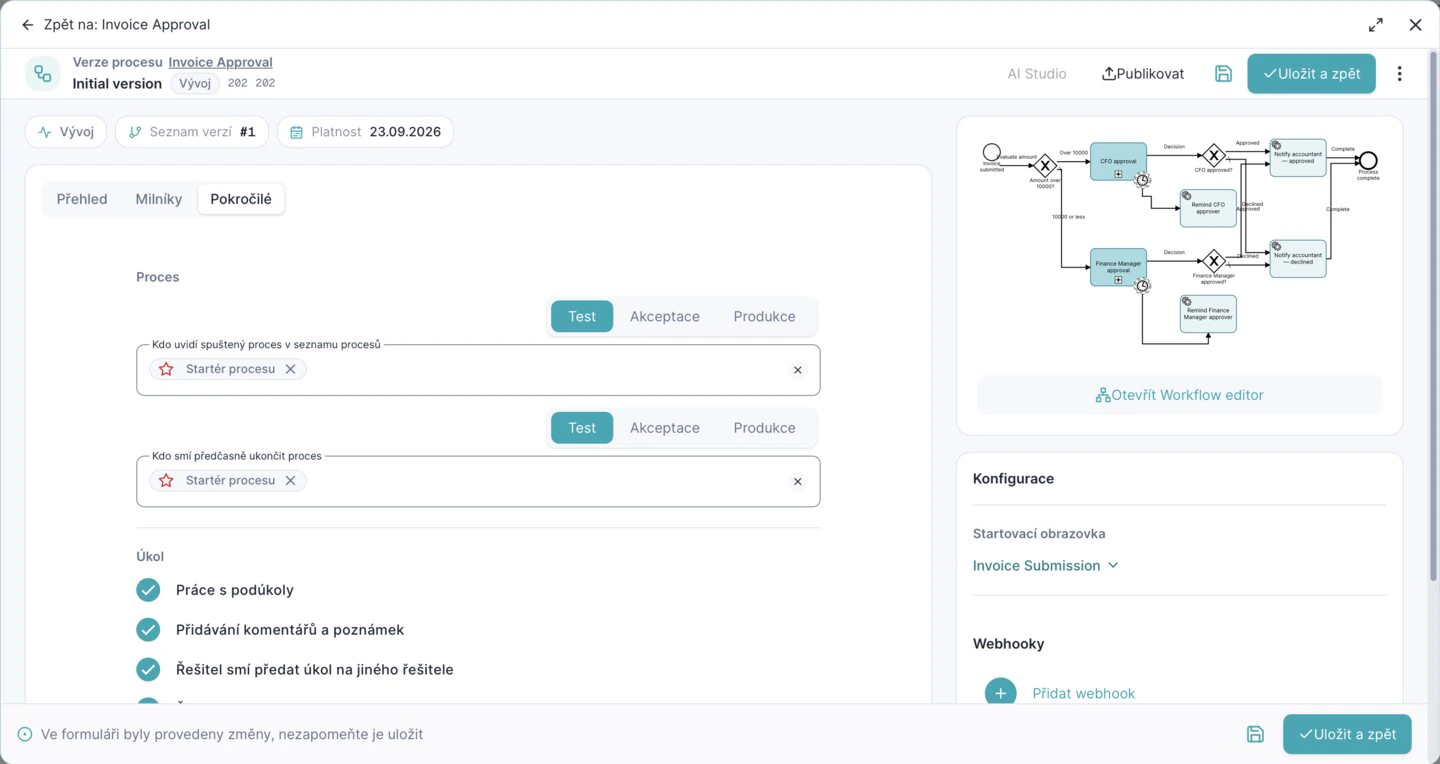
Separate environments, their own permissions
Test, Acceptance and Production are separate. Who sees a process and who may end it early is set for each environment, so IT does not lose control.
Freedom for the business, control for IT.
Every non-trivial change has a version, an owner, a risk classification and a traceable approval. The process team makes everyday changes itself; new integrations and changes to permissions or the data model go through the CoE and IT.
The path of a change
- Request
- Risk classification
- Design in a sandbox
- Review and UAT
- Release through the CAB
Process designers may
- Configure processes and forms from approved patterns
- Build data views without touching the shared model
- Make changes in a separate development environment
The platform guards
- The designer, admin and release-manager roles
- An allow-list of integrations and connectors
- Versioning, the audit log and change monitoring
- Mandatory tests for critical agendas
The CoE and IT approve
- New integrations, plugins and scripts
- Changes to permissions, SSO and the data model
- Impact on performance and security
Workflow, forms, data and AI in one Designer.
One tool for the analyst, the process owner and the developer, from the first sketch to the production version.
- BPMN Studio
- A drag-and-drop editor with native elements for approvals, tasks and integrations, timers, escalations and milestones.
- An AI thread with context
- @ attaches a process, a form or a role, and you ask for the change in plain words. On the canvas, ⌘J opens the assistant and Ctrl+Z undoes a whole generation.
- Forms and the data model
- No-code forms with a rich field palette, code lists and business datasets.
- Documents and signatures
- Documents generated from templates and signed inside the process, with notifications to everyone a step concerns.
- No-code, low-code, full-code
- Where configuration is not enough, add a script in TypeScript.
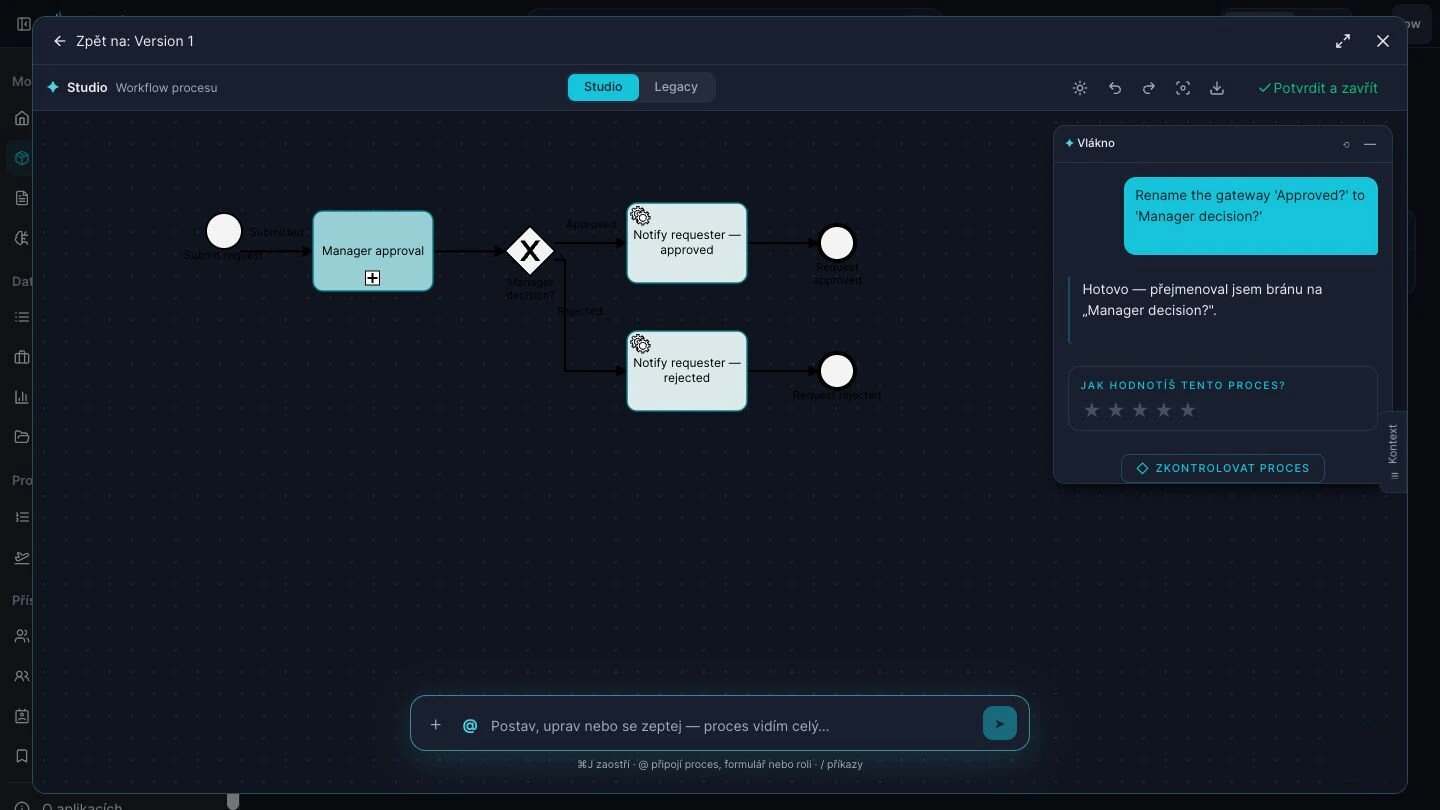
On the live canvasChanges land on the diagram you are editing. Ctrl+Z undoes a whole generation.
⌘J assistantRenames a gateway on request, then offers to check the process.
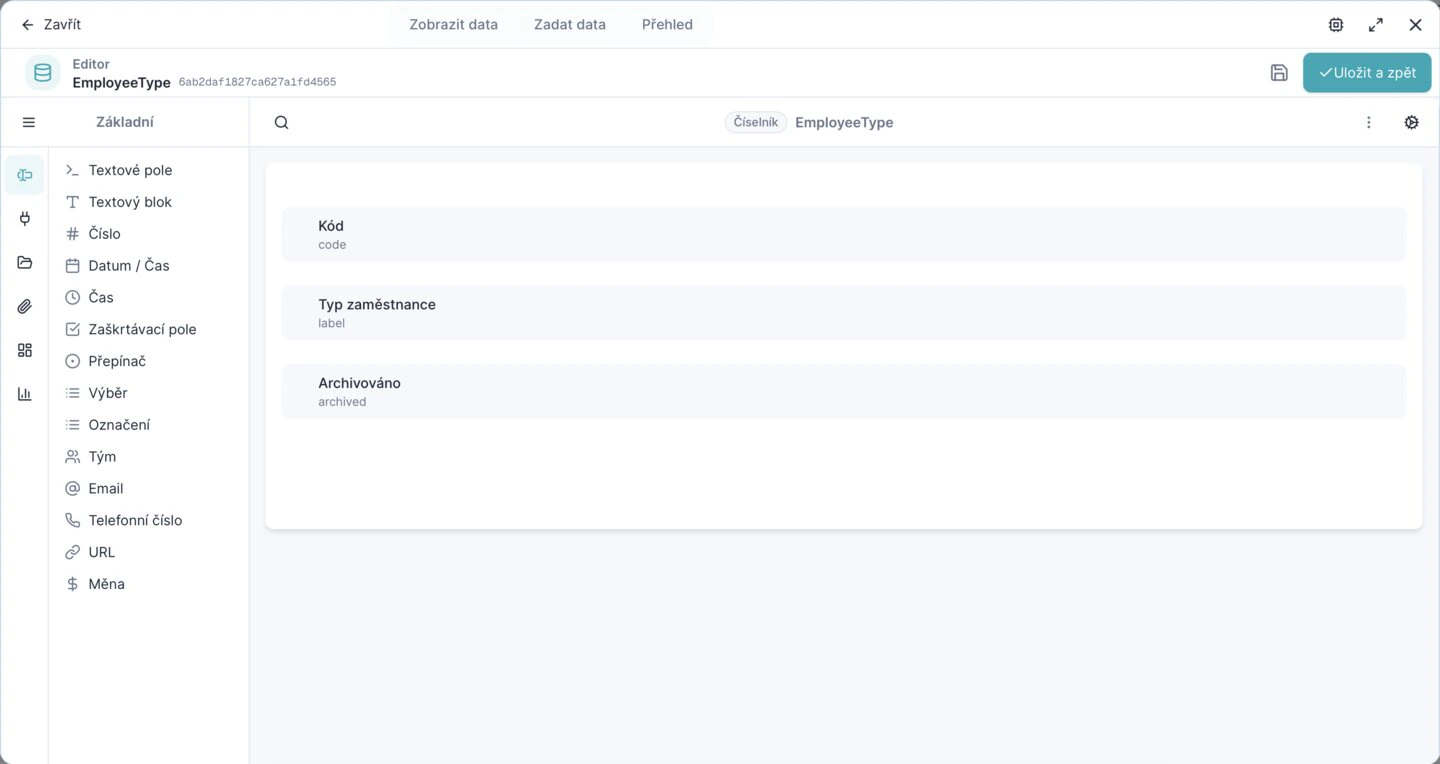
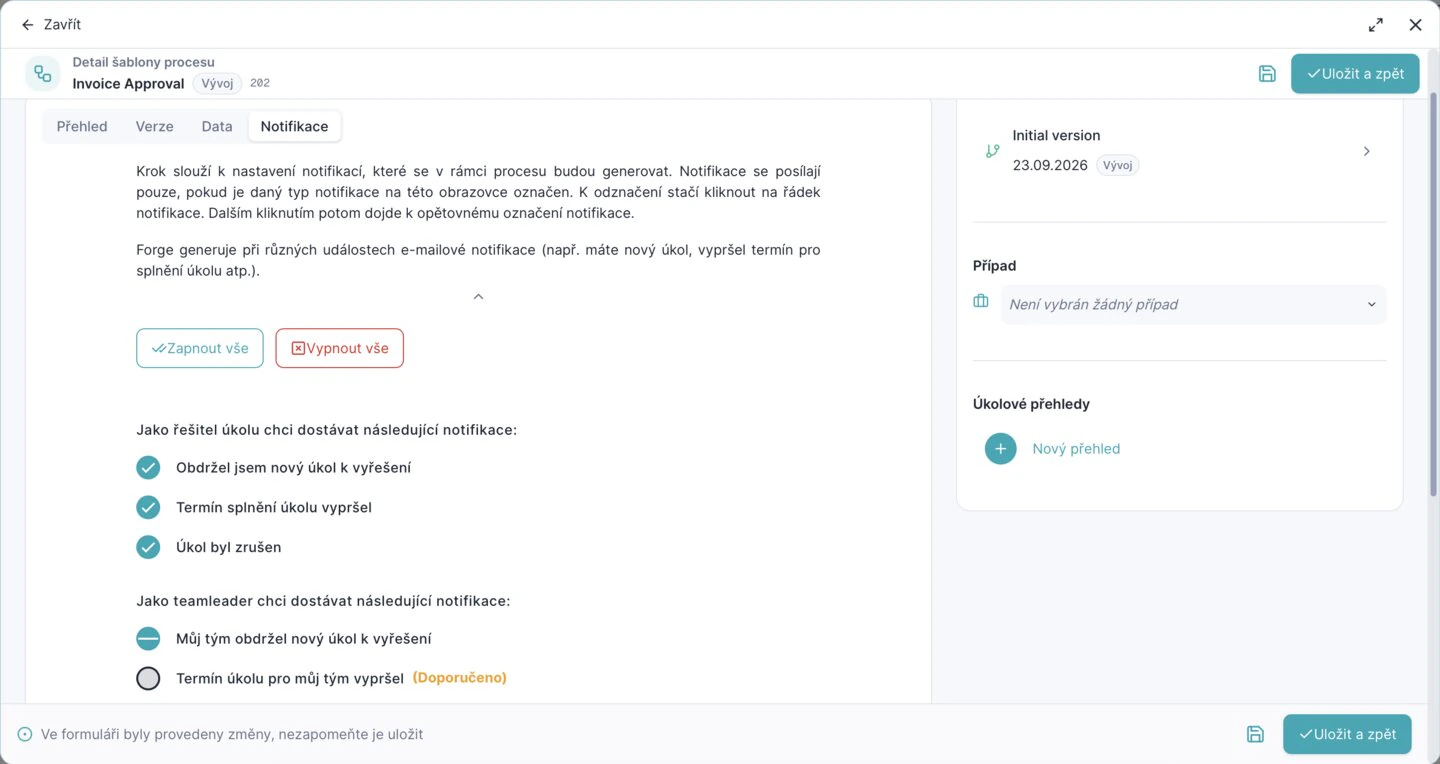
Everything a digital agenda needs, in the platform itself.
Documents, signatures, the audit log and data views are not add-ons to buy or build. They come with the platform, so there are fewer integration projects and lower running costs.
Service tasks
Automatic actions: opening a case, bulk operations, webhooks and integration steps.
Data views
Data access independent of the process: filters, views, export.
Audit log
The complete recorded history of every instance, in the ordinary user interface. An auditor reads it without a database export.
Documents from templates
Documents generated from DOCX templates, with their metadata mapped to the target store.
Electronic signature
Secure signing anywhere, qualified signatures included.
Document upload
Secure upload with metadata straight into your DMS: SharePoint, IBM FileNet and others. Forge is not one more store.
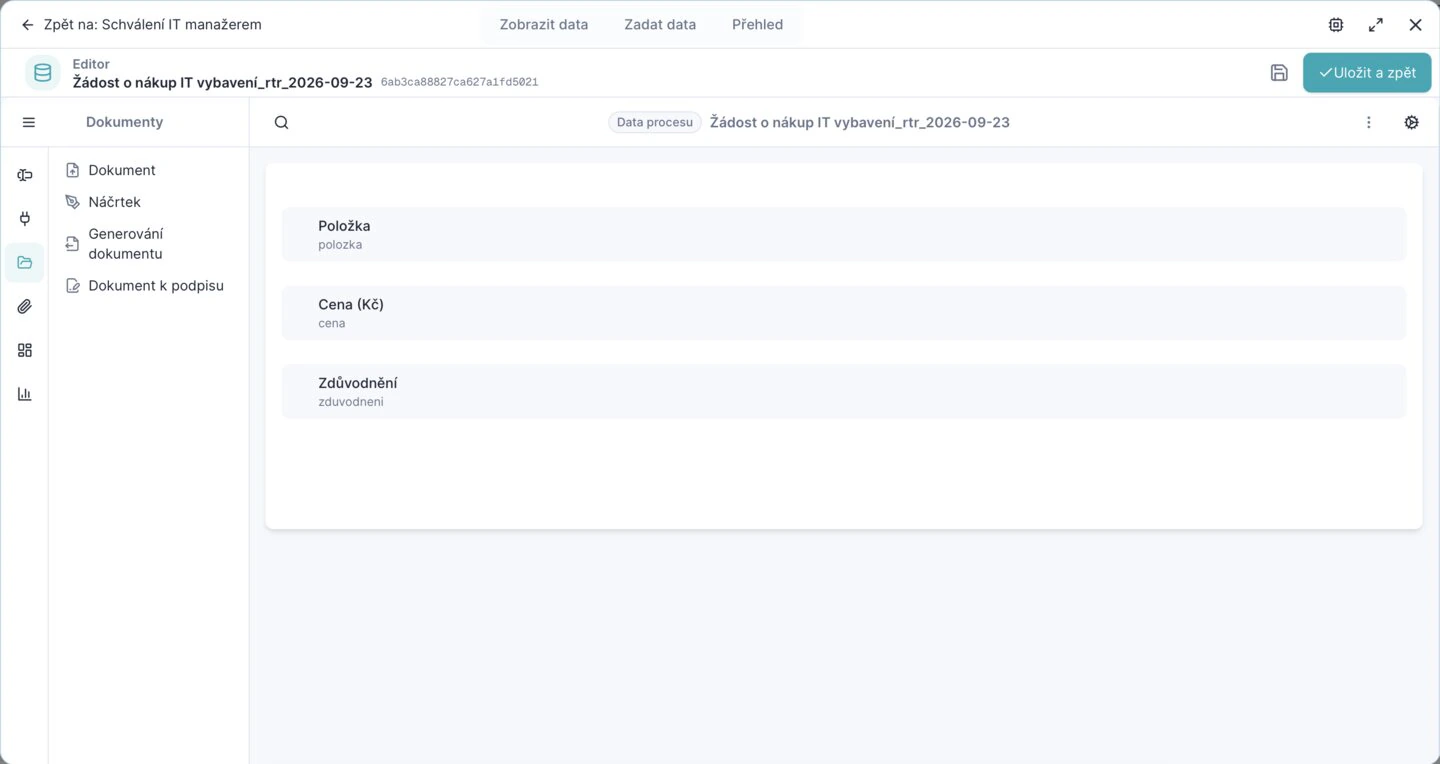
Three pillars of the platform
- Data
- one model
- Documents
- without paper
- Processes
- BPMN with rules
Forge against the usual alternatives.
Most companies run a mix of all three today. We compare categories of solution, not products.
| Excel and e-mail | Custom development and ERP changes | Classic BPM and RPA | Forge | |
|---|---|---|---|---|
| One standard and one set of data across the company | no | partly | fully | fully |
| The process team makes a change itself, under control | partly | no | partly | fully |
| Audit trail and compliance | no | partly | fully | fully |
| AI as a native part of the process | no | no | partly | fully |
| Connection to core systems | no | fully | fully | fully |
| Low cost of upkeep and change | partly | no | partly | fully |
The details your architects will check.
- One shell, one spotlight
- The Designer and the Portal share one shell and one ⌘K spotlight for search and commands, so people learn the product once.
- Contrast-tuned, with visible focus
- Design tokens are contrast-tuned in both themes, and every control shows a visible focus ring.
- Six interface locales
- The Portal comes in six locales, Czech, English, Slovak and Hungarian among them.
- Light and dark, both first-class
- Every screen works in both themes, and a full rebrand to your own colours is one theme file.
- Documents with required metadata
- Documents live in namespaces that require metadata, and a new upload becomes a new version in place.
- Microservices in containers
- On your own servers on OpenShift or Kubernetes, fully in Azure, or hybrid; REST, OData, webhooks and messaging both ways.
Tell us the process that's costing you.
Bring one real process to the demo. We describe it to Studio together and you watch it take shape on a working platform — not on slides.